From the archive. This story describes the announcement at its original publication date. Product availability, pricing and terms may have changed.
At a glance
- What changed
- Multiple-wallet overview.
- Who it affects
- People with several wallets.
- When
- 11 July 2024
Base discount code and conditions ↓
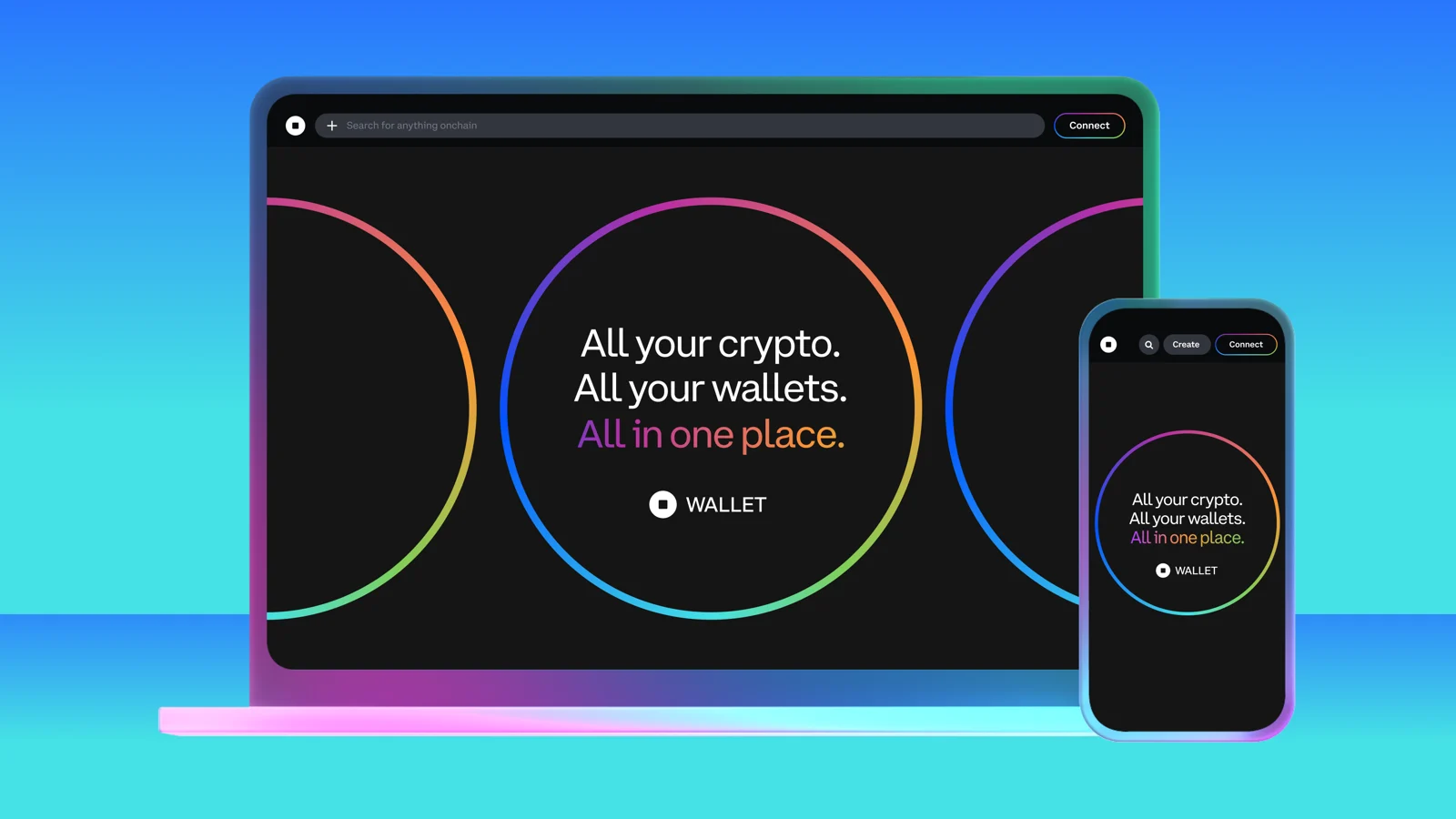
Coinbase moved the wallet view into a full-size website
Coinbase launched its Wallet web app on 11 July 2024. The website brought balances, digital collectibles and decentralized-finance positions from multiple compatible wallets into a single full-screen view. Users could filter by address or network, rather than repeatedly switch between small browser-extension windows.
The launch supported wallets connected through WalletConnect, a connection system used by participating wallet applications. It also described eight trading networks and smart-wallet support. The main change was the place where users viewed and initiated activity; combining several wallets on one page did not combine their addresses into one account.
[1]A current help page clarifies what switching selects
Coinbase's wallet-management documentation, checked in September 2026, says each active wallet has its own portfolio, transactions and identity. It distinguishes passkey-based smart wallets, email or social-login wallets, and wallets imported with a recovery phrase. Its current limit is ten created and imported wallets combined.
The guide also explains that selecting a different wallet changes the portfolio and identity being displayed. These later instructions are useful context for understanding multiple-wallet interfaces, but they are not evidence that the 2024 website shipped with every current account type or limit. A wallet's access method and the website displaying it are separate parts of the setup.
[2]One overview can answer two very different questions
A combined balance is useful for asking, “How much do I hold across these addresses?” A transaction asks a narrower question: “Which address will authorize this payment, on which network, using which asset?” The convenience of the overview can obscure that difference if the user jumps directly from a total to a purchase.
Consider a hypothetical freelancer who keeps business receipts in one wallet and personal collectibles in another. Putting both in the same dashboard can reduce the work involved in reviewing activity. It should not erase the reason the person separated them. The relevant identity for a client payment remains the business address, even if a more valuable personal portfolio is visible alongside it.
A worked example of a balance that cannot be spent as one pot
Suppose an imaginary dashboard displays $700 of assets in Wallet A and $300 in Wallet B. Its combined total is $1,000. The owner plans a $500 purchase from Wallet B. Looking only at the headline total makes the purchase seem comfortably funded, but Wallet B contains just $300 in this example.
There are several possible next decisions. The person could change the paying wallet, transfer assets, or reduce the planned purchase. Each decision changes something real: the source of the payment, the number of transactions, or the size of the purchase. The dashboard's addition operation does not perform any of those decisions automatically. This example is about account separation, not a claim about a specific Coinbase purchase flow.
Add another complication: assume Wallet B's displayed $300 comprises $180 on one network and $120 on another. The owner now needs to identify which part is usable for the intended action. A total is an accounting convenience, while a payment depends on the actual asset and network. Keeping those details visible is precisely why an address-and-network filter can be more useful than a larger headline number.
How to judge the bigger-screen improvement
The practical benefit of a full-size interface is the space to compare evidence. A user can review the asset, account and recent activity together before initiating a transaction. For someone maintaining several wallets, that reduces the mental work of remembering which window belonged to which address. It does not remove the need to inspect the authorization itself.
A useful personal test is to take one known transaction and see whether the page makes its origin and destination easy to follow. Can the reader distinguish a token holding from a position in an application? Can the same asset on two networks be separated? Does changing the selected account also change the identity used for the next action? These questions concern the actual workflow introduced by a combined wallet view, rather than the number of features on a launch page.
The July announcement is therefore best understood as an interface milestone. It made scattered activity easier to inspect in one place. Any later product evolution should be evaluated against that same purpose: a broader view should make individual accounts clearer, even when their values are presented together.
Dates to know
As announced by the provider. A listed date does not confirm current availability or eligibility.
- Wallet web app launchDate passed[1]
Find the funds for a purchase
An original hypothetical exercise. Select a case.
| Case | What it means |
|---|---|
| Combined total | $1,000 displayed Invented balances of $700 in A and $300 in B add to $1,000. |
| Purchase from B | $200 short A $500 purchase cannot be funded from the assumed $300 in B without another decision. |
Illustration only; it does not check an account or predict a result.
Official sources & further reading
Independently written from the primary sources below. Checked on 26 September 2026.
- The new Coinbase Wallet web app: your home for everything onchain ↗Announcement · 11 July 2024
- Manage wallets in Coinbase Wallet ↗Documentation
10% off eligible swap fees
New wallets only; enter the code during onboarding. Same-chain swaps and regional eligibility rules apply.
Permanent code and partner link. Campaign dates and benefits are separate.
We may earn a commission, at no extra cost to you. Account and country conditions apply.