
BaseDiscount code
10% off eligible swap fees
Base referral code: 2ZTS468P. Sign up with this code to get 10% off eligible swap fees.
Affiliate link. We may earn a commission, at no extra cost to you.
At a glance
- What changed
- Direct Deposit in Coinbase Wallet: a virtual account that turns paycheck or bank deposits into USDC on Base in the wallet, with zero deposit fees.
- Who it affects
- Coinbase Wallet users who complete verification and can add account and routing numbers to their payroll.
- When
- Live from 25 November 2026. Coinbase Wallet posted at 15:00 UTC (16:00 in Amsterdam).
Add Exchange.news as a preferred source on Google
What Coinbase Wallet launched
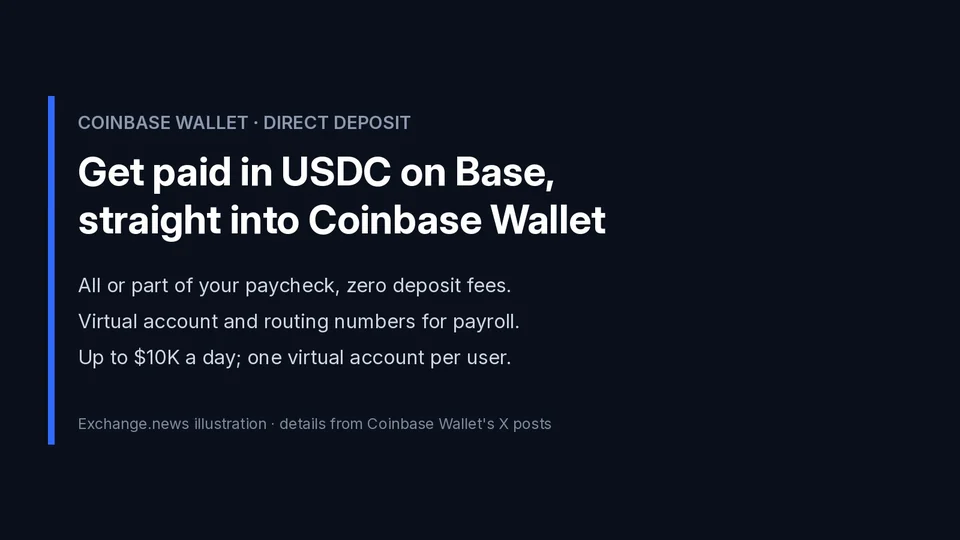
Coinbase Wallet announced on its official X account at 15:00 UTC on Wednesday 25 November 2026 (16:00 in Amsterdam) that Direct Deposit is now available in the app. The pitch is short: your paycheck, delivered onchain. You can receive all or part of it as USDC on Base, and Coinbase Wallet says there are zero deposit fees.
USDC is a dollar stablecoin, and Base is the Ethereum layer 2 network incubated by Coinbase. The official Base account quoted the launch minutes later, calling it a step toward bringing the everyday economy onchain and noting that it is powered by USDC on Base.
How the virtual account works
The launch image shows a Direct Deposit screen that explains the idea: you create a virtual account and deposit USDC into it from your paycheck or a bank account. The same screen lists three limits: deposits of up to $3k at any time, a $10K daily deposit limit and one virtual account per user.
Coinbase Wallet did not say in the posts which countries can use the feature. Account and routing numbers are the format used by payroll providers in the United States, so check whether the option appears in your own app before changing payroll details.
How to set it up
Coinbase Wallet gave three steps in the same thread. Tap Receive, then Set up Direct Deposit. Complete verification. Copy your account and routing numbers. You then add those numbers to your payroll provider and choose how much of each paycheck goes to the wallet, so you can split salary between your bank and USDC.
Our take
Unlike the direct deposit split Coinbase promoted for its main app in October, which buys crypto on a Coinbase account, this lands USDC on Base in the wallet app itself. Payroll straight into a stablecoin wallet removes the bank-to-exchange-to-wallet shuffle many people use today, and zero deposit fees make a partial split low-risk to try. Start with a small slice of a paycheck, confirm the first deposit lands as expected, and remember that payroll timing still depends on your employer. If you want a second self-custody wallet for USDC alongside it, the Base app and Phantom both support holding stablecoins yourself.

PhantomPartner offer
10% of trading fees back for 3 months
Phantom referral code: findcodes. Sign up with this code to get 10% of trading fees back for 3 months.
Affiliate link. We may earn a commission, at no extra cost to you.
Conditions
New users who sign up in the Phantom mobile app with this code get 10% of their own eligible trading fees back for three months from signup. Codes apply only at mobile-app signup and cannot be added later. Rebates are paid in CASH to the Phantom Cash balance after a $1 minimum; ID verification may be required. Perps and prediction markets are not available in every region; program terms apply and Phantom may change rates or end the program. Perps are unavailable in the US, UK and US-sanctioned jurisdictions; prediction markets are unavailable in the US, UK, Germany and sanctioned jurisdictions. Program eligibility depends on jurisdiction under the referral terms.
The code and partner link have no expiry. Campaign dates, benefits and eligibility are separate and may change. Check the provider’s current terms before signing up.