At a glance
- What changed
- X1 firmware update.
- Who it affects
- SafePal X1 owners.
- When
- August 10 release date.
SafePal partner offer and conditions ↓
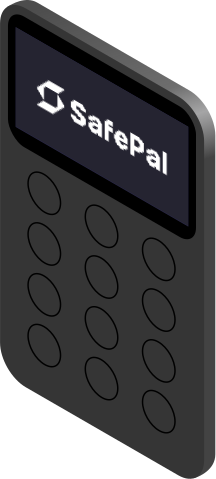
X1 firmware 1.0.34 adds XRP token support
SafePal dates X1 firmware 1.0.34 to August 10, 2026 and lists XRP token support and user-experience improvements. This is a firmware release date, not a blog publication. Other device models use their own upgrade routes.
[1]Start with the exact device and intended task
An update is easiest to evaluate when the owner knows what they want it to enable. A person expecting to use a particular token should identify that asset precisely and check its supported route. The broad phrase “XRP tokens” should not be stretched into a claim that every possible asset or operation is covered. The release note is short and does not provide an exhaustive compatibility table.
Imagine a user who owns two different SafePal models. The useful first record is the model and installed version of the device actually being updated. A file for a similarly named product is not a meaningful substitute. This is a proposed preparation step, not a suggestion that SafePal’s download page automatically chooses an incorrect file.
The owner can also write down the ordinary task they want to check afterward, such as whether the intended asset can be managed through the documented workflow. That gives the update a concrete purpose beyond simply changing a version number.
Understand the file-transfer stage
The official process uses a computer, the file upgrade.bin and the X1’s upgrade mode. Copy the file to the device’s virtual disk and initiate the upgrade there. SafePal stresses a securely stored backup and the exact filename.
[1]An illustrative troubleshooting record
Suppose the computer does not show the expected disk. That observation occurs before the firmware has been copied, so it belongs to the connection and upgrade-mode stage. A useful record would note whether the device visibly entered the requested mode, which cable and computer were used, and whether the connection changed when another suitable port was tried. It would not begin by claiming that the new firmware failed to install if installation never started.
Now imagine that the disk appears but the device does not recognise the copied file. The next comparison is between the documented file name and the actual file present. A duplicate-download suffix is a concrete possibility to inspect because the official page calls it out. Guessing at file contents or opening random replacement downloads would not explain the mismatch.
These are hypothetical diagnostic examples. They describe how to locate the stage of a problem, not instructions to force a failed upgrade or bypass a device check. If the documented process does not work, a precise account of where it stopped is useful to official support.
Verify the result without overinterpreting it
After any planned update, a useful personal record includes the version now displayed and the outcome of the ordinary task chosen in advance. A version change shows one thing; a successfully completed asset workflow shows another. Neither should be inferred from the other without looking.
For example, an owner might confirm the new version but still be unsure whether a specific token entry is the intended asset. That remaining question is about asset identification and support, not necessarily about installation. Keeping it separate prevents repeated updates from becoming a substitute for reading the relevant asset documentation.
Our reading is that this is a focused compatibility release rather than a reason to make broad claims about a completely new wallet. The official device illustration accompanying the article is a product image, not evidence of a release-specific redesign. The useful outcome for a reader is to know which model and version the announcement covers, follow the official upgrade route when choosing to update, and verify the particular operation that matters to them. That makes a brief firmware note actionable without inventing features the note never promised.
For an unresolved installation problem, keep the download source, filename, device version and error wording together. Those details let support distinguish a file-selection problem from a connection problem. A useful report should show the failed stage without exposing recovery words or unrelated account information.
Dates to know
As announced by the provider. A listed date does not confirm current availability or eligibility.
- X1 firmware 1.0.34 releaseDate passed[1]
Match the firmware to your device
Choose the update question relevant to you.
| Case | What it means |
|---|---|
| Need XRP token support | Check the exact asset The release headline does not list individual tokens. |
| Different SafePal model | Use its own upgrade page This release is specifically for X1. |
Based on the official announcement; availability may change. [1]
- Version 1.0.34.
- XRP token support.
- Computer-based upgrade.
Official sources & further reading
Independently written from the primary sources below. Checked on 26 September 2026.
- SafePal X1 upgrade · V1.0.34 ↗Announcement · 10 August 2026
Air-gapped self-custody with SafePal S1
The detailed review offers no hardware discount. Any in-app setup reward is separate from the device price.
Permanent partner link. Campaign dates and benefits are separate.
We may earn a commission, at no extra cost to you. Account and country conditions apply.